
Home Screen
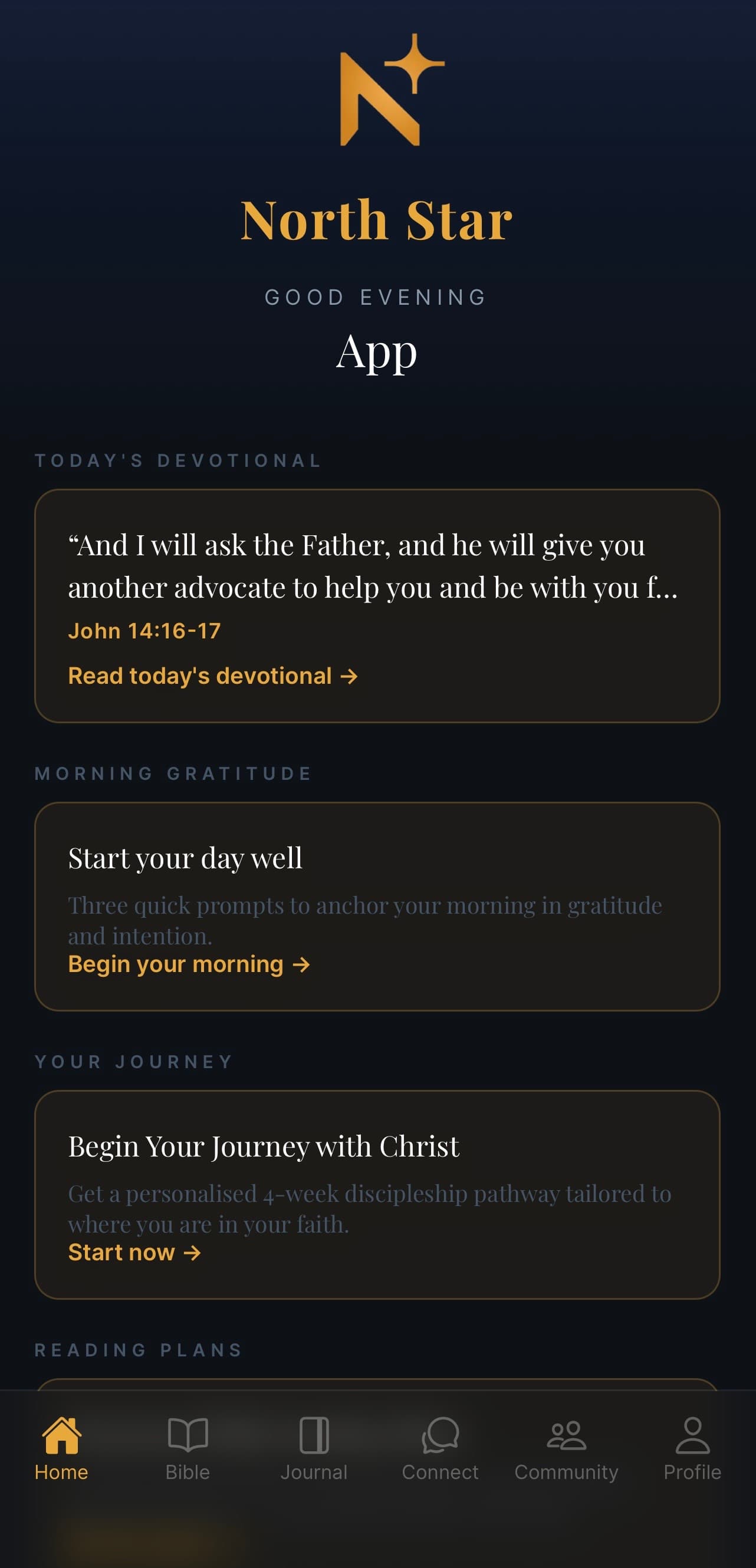
Your daily starting point — a greeting, today's devotional, gratitude prompts, your journey, and reading plans, all on one page.
What this screen is for
This is the first screen you see every time you open North Star. It's designed to be a calm, gentle starting point — a quick verse for today, a nudge towards thankfulness, and your next step in your journey. Nothing here demands a lot of time. Pick whatever speaks to you, or just close the app and come back later.
What's on the screen
A personal greeting
At the top you'll see "Good morning", "Good afternoon", or "Good evening" with your name underneath. It changes based on the time of day — a small touch to make the app feel like it knows you.
Today's Devotional
A short Bible passage chosen for today, with the reference (for example, John 14:16–17). Tap Read today's devotional → to open the full devotional with reflection and prayer.
Devotionals refresh once a day. If you've already read today's, the card will show that.
Morning Gratitude
Start your day well. Three quick prompts to anchor your morning in gratitude and intention. Tap Begin your morning → to open the gratitude flow.
You can do this any time of day — it's named "morning" but you're welcome whenever.
Your Journey
Begin Your Journey with Christ. A personalised 4-week discipleship pathway tailored to where you are in your faith. The card here is your next step — tap Start now → to pick up where you left off.
Reading Plans
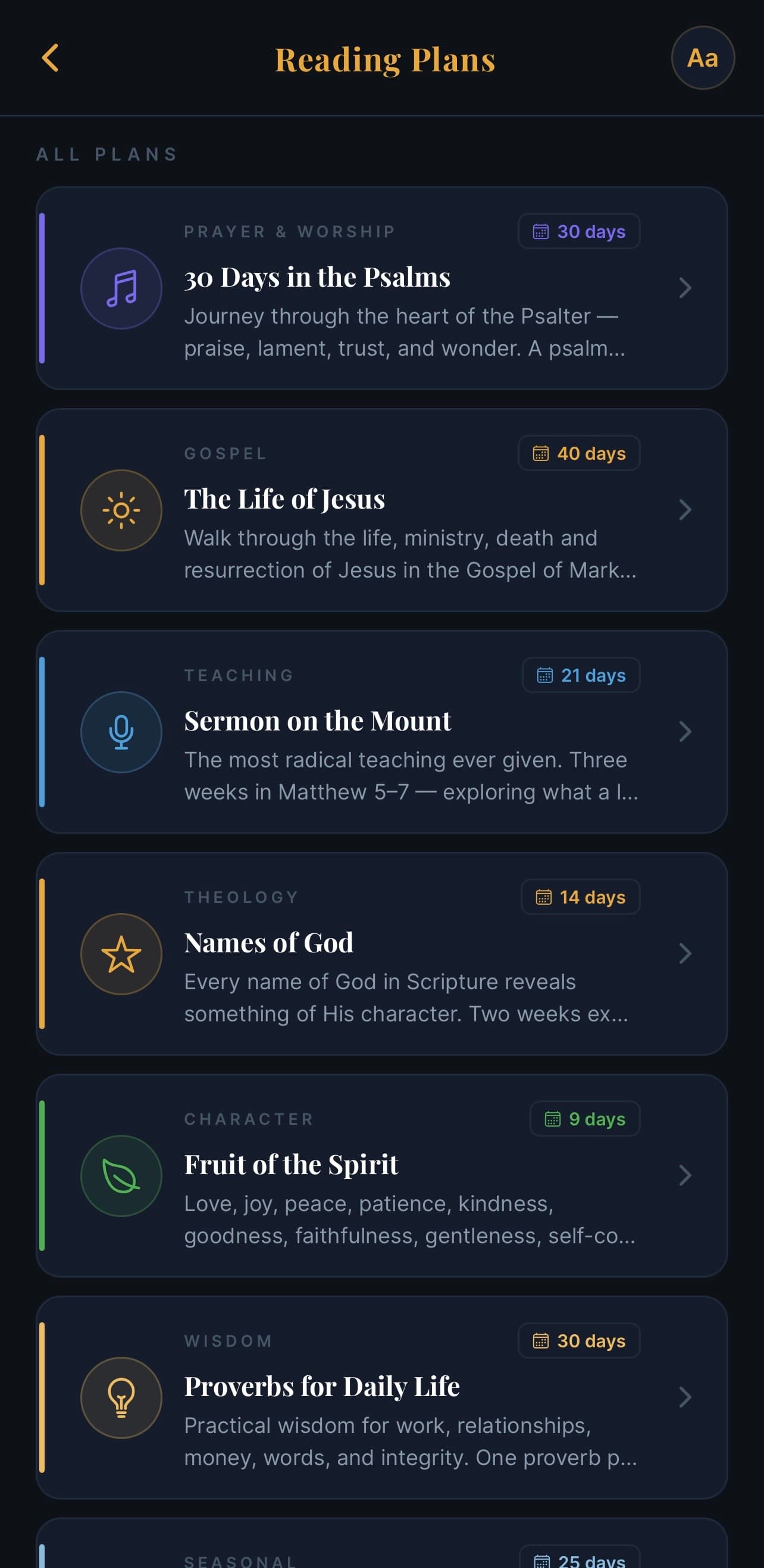
Below your journey you'll find suggested Reading Plans — short, themed reading paths you can pick up alongside your devotional. Scroll down to see them all.
The bottom navigation
Across the bottom of every screen you'll find six tabs:
- Home — this screen
- Bible — read any passage
- Journal — write reflections, talk with AI about your day, see your history
- Connect — Ask, Prayer, Pastoral Care, and Sermon all live here
- Community — share with and pray for other believers
- Profile — your account, subscription, and settings
The current tab is shown in gold.
Common questions
Q: Where is the devotional from? It's part of North Star's daily plan, drawing from Scripture across the whole Bible over time. The reference is always shown so you can read it in context.
Q: I don't see "Your Journey" — why? Your Journey appears once you've answered the onboarding questions. If you skipped it, you can set it up from your Profile screen.
Q: Can I rearrange these cards? Not yet — but the order is designed so the most time-sensitive thing (today's devotional) is at the top.
Q: I want a quieter home screen. You can hide individual cards from Profile → Home settings (coming soon).