
My Journey Progress
A bird's-eye view of your growth — streaks, journal entries, prayers, and how this month compares to last.
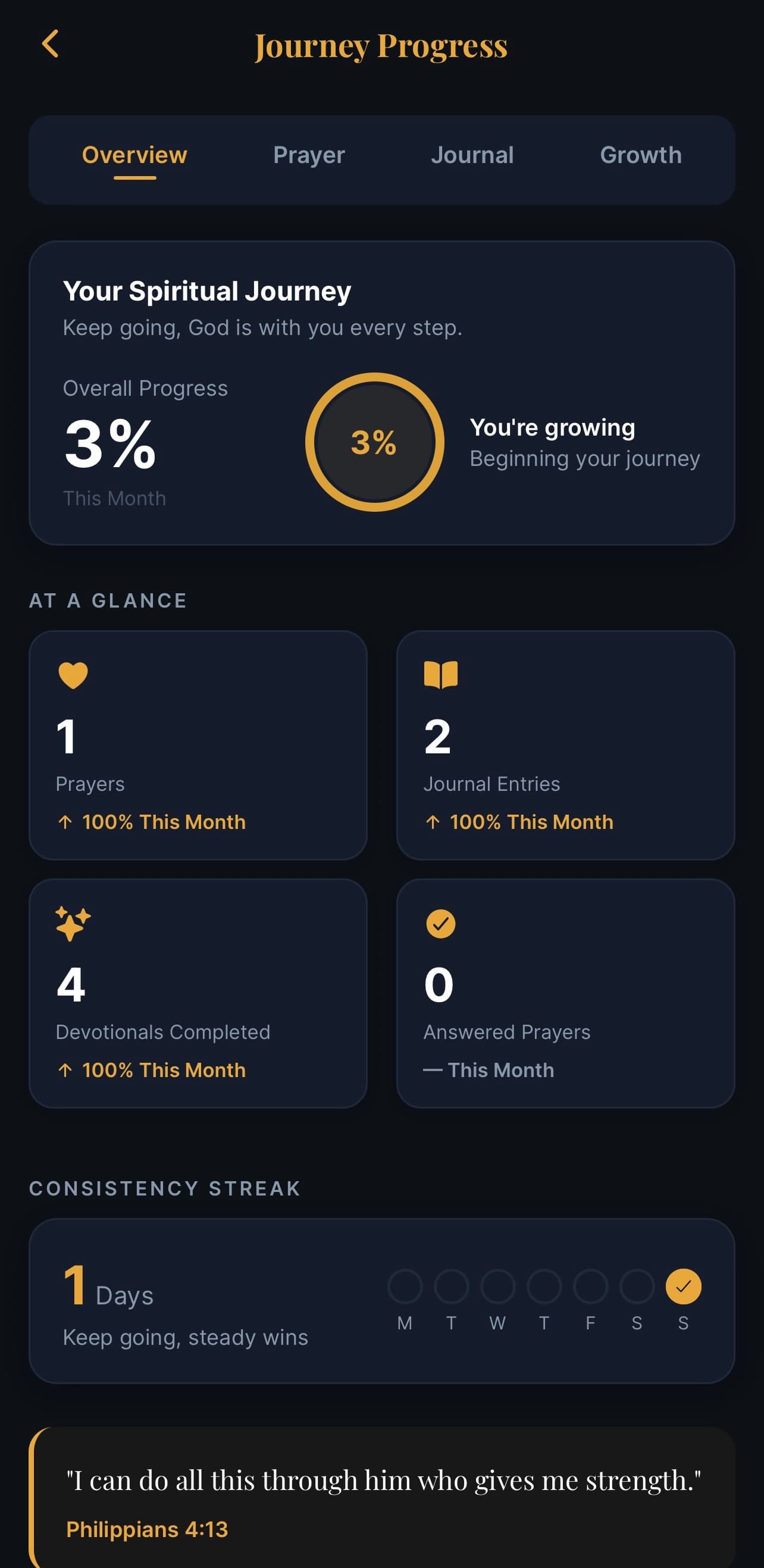
What this screen is for
This is where you look back on your walk. It's not for comparing yourself to anyone — it's for noticing the rhythm you've been building, and being kind to yourself if a week was quieter than the last.
It's organised across four tabs.
The four tabs
Overview
Your top-level stats:
- Devotionals read this month, with a % change vs last month
- Prayers added
- Journal entries
- Plans completed
Each is shown with a small arrow ↑ ↓ — green if you're up on last month, soft red if down, neutral if flat.
Below the numbers, a weekly grid shows which days you opened North Star — useful for seeing your rhythm at a glance.
Prayer
Just your prayer life — number of prayers added, how many you've marked as answered, current streak of days you prayed.
Journal
Number of entries, words written, longest streak, and which themes have come up most often.
Growth
A broader view — books of the Bible you've spent time in, pathways you've completed, topics you've explored in Pastoral Care.
Common questions
Q: Why am I "down" this month? Life is rhythmic — some months are slower. The stat is just a number; don't let it be a stick to beat yourself with.
Q: Where do these numbers come from? Everything you do in the app — reading devotionals, marking days complete, adding prayers, writing journal entries — feeds into these counts.
Q: Can I reset my stats? No — but they re-baseline each month, so a fresh start happens naturally.
Q: Are these shared anywhere? No. Your stats are private to you.