
Verse Cards
Turn any verse into a beautiful image you can save or share. Colour gradients, photo backgrounds, square or story format.
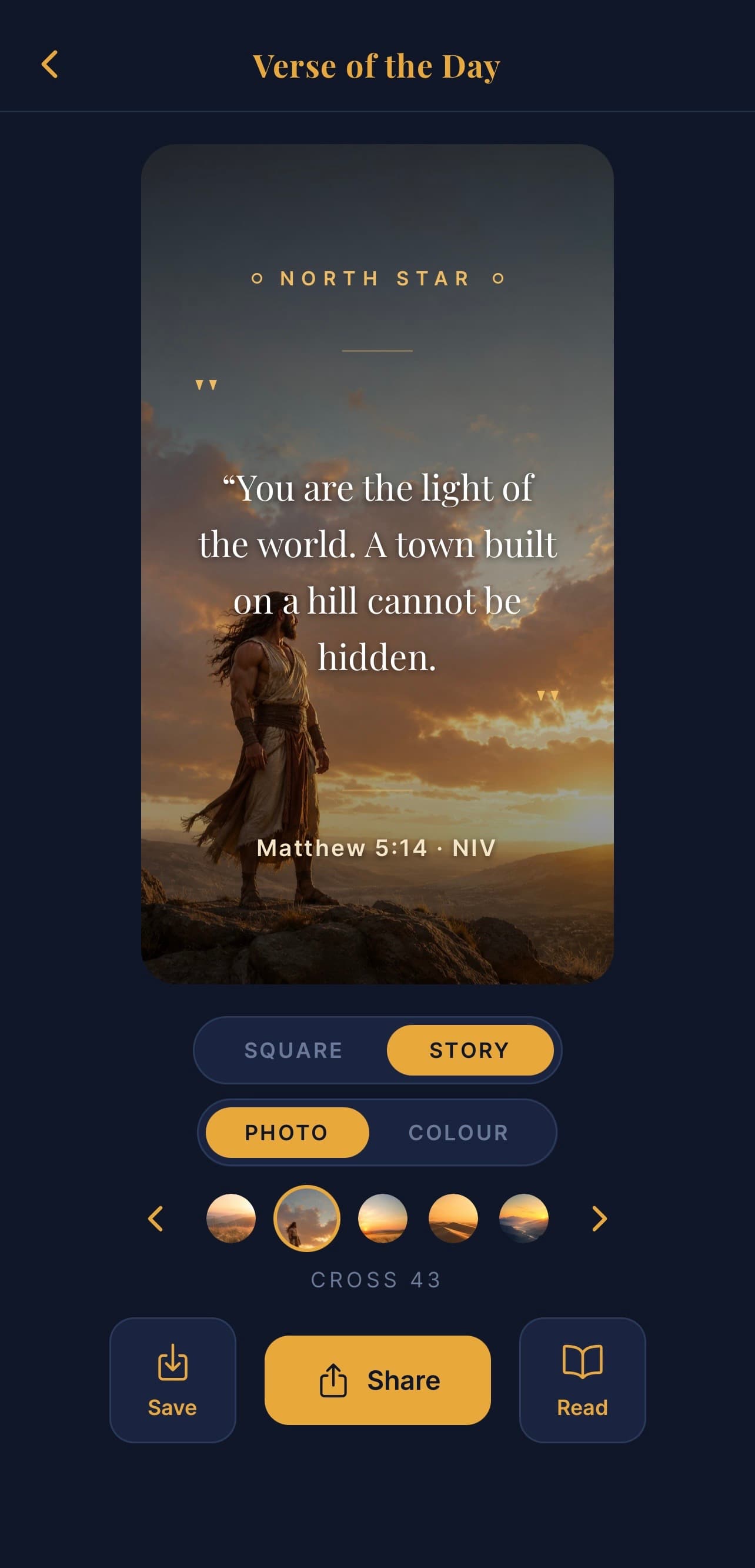
What this screen is for
Verse cards are how you share scripture beautifully — on social media, in a message, or just saved to your phone as a keepsake.
You open it from the verse action bar (tap a verse → Image).
The card
The verse text is laid out in elegant typography over a background. You can tweak:
Background mode
Two choices at the top:
- Colour — soft gradients tuned to feel reverent
- Photo — a curated set of photo backgrounds (mountains, light, sea)
Swipe through the options inside each mode to find one you like.
Format
Two output sizes:
- Square — best for Instagram feed, WhatsApp profile, etc.
- Story — 9:16 portrait, for Instagram / WhatsApp stories
Font
Pick the font and weight that suits the verse. Some verses sing in italic; others want something more grounded.
Saving and sharing
Two buttons at the bottom:
- Save — saves the image to your phone's photo library
- Share — opens your phone's share sheet to send it directly (Instagram, WhatsApp, Messages, etc.)
The image is generated at high resolution so it'll look sharp anywhere.
Common questions
Q: Can I add my own photo background? Not yet — for now you pick from the curated set. Custom photos are on the way.
Q: Can I edit the verse text? You can shorten it (e.g. just the key line) but not change the words.
Q: Why is the share button missing? On the first use, your phone may ask permission to save to your photo library. Allow it and the share button appears.
Q: Are verse cards free? Yes — free for everyone.