
Your Profile
Your account, subscription, password, notifications, accessibility, and shortcuts to your notes, highlights, and Pastoral Care.
What this screen is for
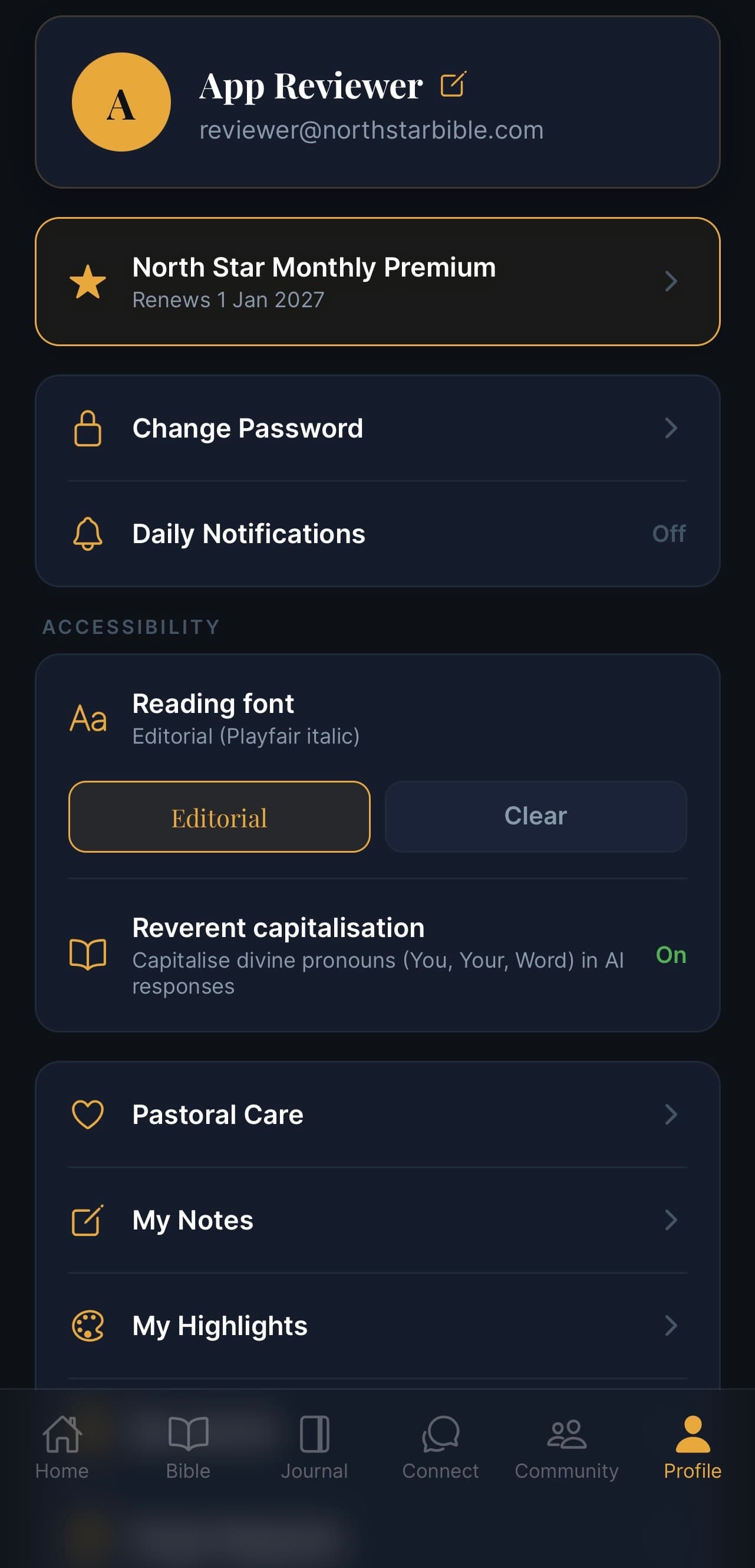
Profile is your settings and account hub. It's where you check your subscription, change your password, adjust how the app looks, and jump into your saved content (notes, highlights, pastoral care topics).
What's on the screen
Your account
At the top — your name, email, and an avatar. Tap the small pencil icon ✎ next to your name to edit your details.
Subscription
A gold card showing your current plan and renewal date (e.g. North Star Monthly Premium — Renews 1 Jan 2027). Tap it to:
- Manage your plan
- Switch monthly / yearly
- Cancel or restart your subscription
If you're on the free plan, you'll see Upgrade here instead.
Account settings
Two quick rows for the most-used settings:
- 🔒 Change Password — set a new password.
- 🔔 Daily Notifications — turn daily reminders on or off (and pick a time).
The current notifications state is shown on the right (On / Off).
Accessibility
Settings that change how the app looks and feels.
Reading font
Pick the font you read scripture and devotionals in. Tap a style to switch:
- Editorial (Playfair italic) — elegant, traditional
- Clear — a clean modern sans, easier on the eyes for long reading
The selected option is outlined in gold.
Reverent capitalisation
A toggle that capitalises divine pronouns — You, Your, Word — in AI responses. Some readers love this; others prefer plain prose. On by default. Set to On / Off.
Your content
Shortcuts to the things you've saved across the app.
- ❤️ Pastoral Care — every Pastoral topic you've opened, so you can pick back up
- 📝 My Notes — every note you've written against a Bible verse
- 🎨 My Highlights — every verse you've highlighted
Each one opens its own list. Tap an item to jump back to the verse it came from.
Common questions
Q: How do I cancel my subscription? Tap the subscription card → Manage → Cancel. Your access continues until the renewal date.
Q: I forgot my password. Sign out, then tap Forgot password on the sign-in screen — we'll email you a reset link.
Q: I'm not getting daily notifications. Check Daily Notifications here, and also your phone's system notification settings for North Star.
Q: Can I delete my account? Yes — scroll to the bottom of Profile for Delete account. This is permanent and removes everything.
Q: I switched phones. Will my notes/highlights/journal come with me? Yes — they're tied to your account. Sign in on the new device and everything appears.