
Prayer
Keep a private list of what you're praying for. North Star can also write a prayer alongside you in Scripture's voice.
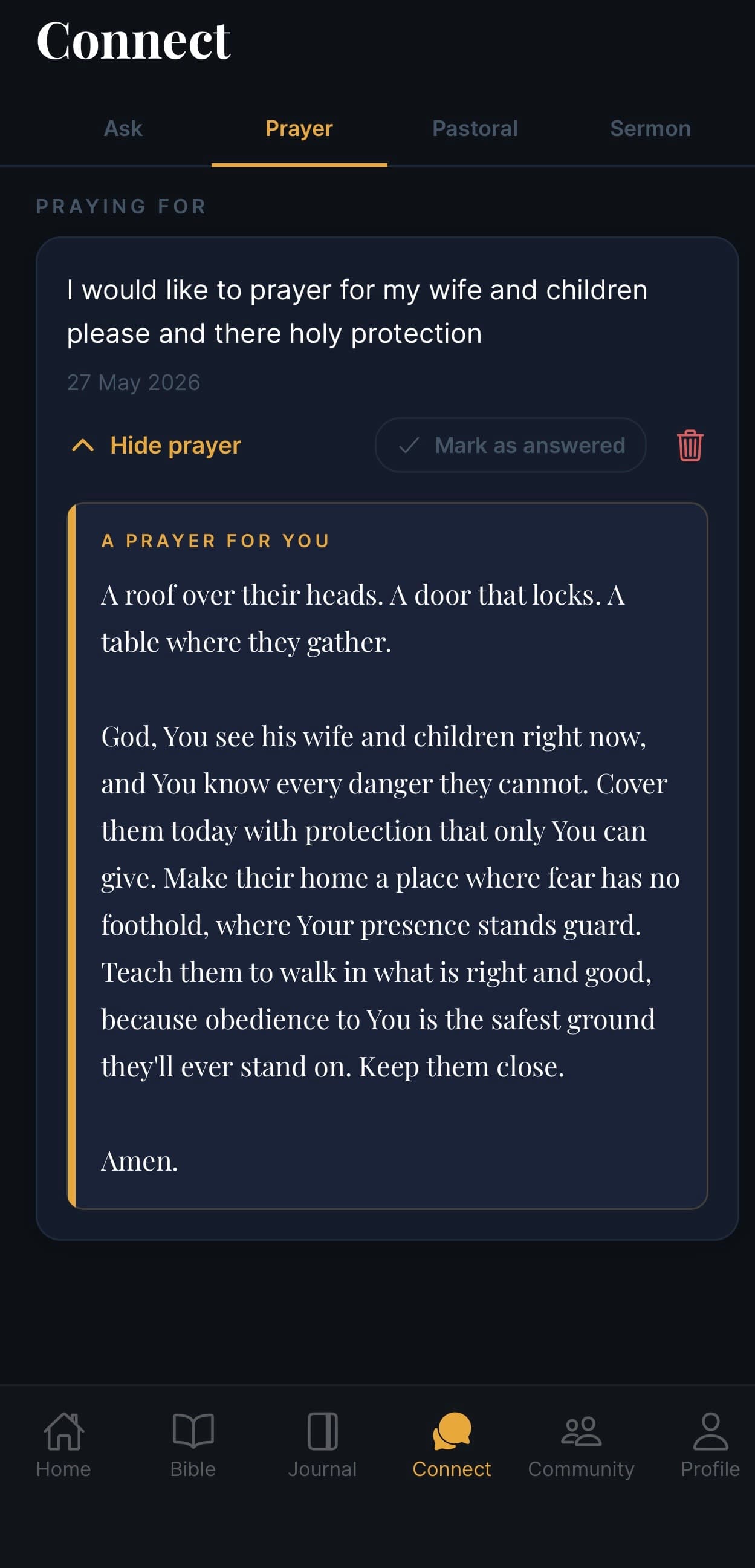
What this screen is for
Prayer is one of four tabs inside Connect. It's your own quiet prayer list — what you're praying for, and what's been answered. North Star can also write a prayer alongside you, grounded in scripture, that you can pray, save, or share.
This space is private. Nothing here is shared with the wider community unless you choose to.
What's on the screen
Praying for
A list of your active prayer requests. Each one shows:
- The prayer text you wrote (e.g. "I would like to pray for my wife and children please and there holy protection")
- The date you added it
Adding a prayer
Tap the + (usually at the bottom or top of the list) and type what you want to pray for. Keep it short or write a paragraph — your choice.
Hide, mark answered, or delete
For each prayer you have three controls:
- Hide prayer (▾) — collapse the AI-written prayer underneath so the list stays tidy
- Mark as answered ✓ — move it into your answered list (so you can look back later)
- 🗑️ Delete — remove it for good
The AI prayer
Once you've added a prayer, North Star can write a short prayer alongside it — labelled A PRAYER FOR YOU in gold. It's grounded in scripture and written in a reverent voice (e.g. "God, You see his wife and children right now…").
You can:
- Just read it as a way to pray
- Pray it aloud
- Share or save it (long-press the text)
The prayer always ends with Amen.
Common questions
Q: Who sees my prayers? Only you. This is private. If you want to ask for prayer from others, use the Community tab instead.
Q: Can I edit a prayer after adding it? Yes — tap a prayer to open and edit it.
Q: What does "Mark as answered" do? It moves the prayer into your Answered list — a record of prayers God has answered, which you can look back on.
Q: Can I turn off the AI-written prayer? Yes — in Profile → Preferences you can switch off the auto-prayer if you'd rather just see your own words.
Q: Will I get reminders to pray? You can turn on daily prayer reminders in Profile → Daily Notifications.